IT Guide – New e-mail alert
Power Automate Flow Guide
This guide provides step-by-step instructions to create a Power Automate flow that sends a notification email to an external address when a new email is received in your inbox.
Step 1: Sign in to Power Automate
- Go to https://flow.microsoft.com
- If you have not already signed in to your waterways.org.uk account, sign in using your Microsoft 365 credentials (i.e. your username and password).
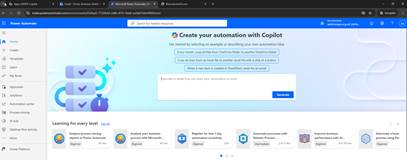
Step 2: Create a New Automated Flow
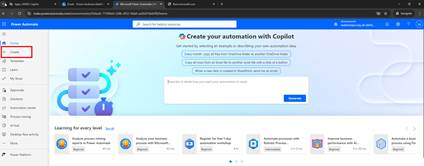
- Click ‘Create’ from the left-hand menu.
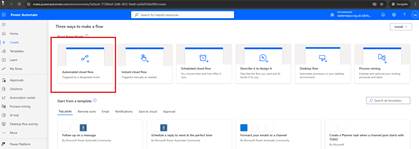
- Select ‘Automated cloud flow’.
- Name your flow (e.g., Notify External on New Email).
- In the Choose your flows trigger, type in the search box: ‘When a new email arrives (V3)’.
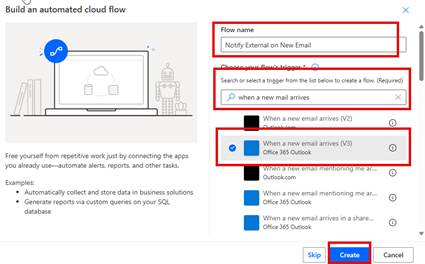
- Click ‘Create’.
Step 3: Configure the Trigger
- Click the box When a new mail arrives (V3). This will give you the Parameters section.
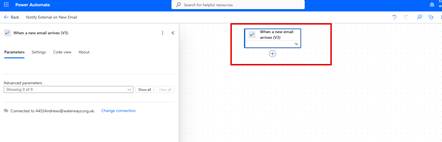
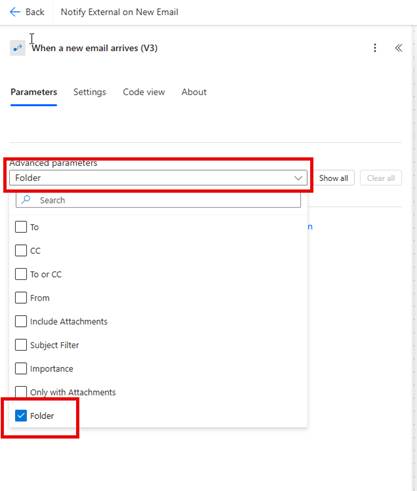
- From the Advanced parameters section choose Folder
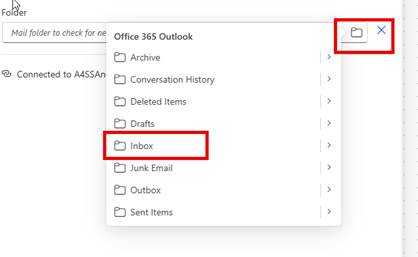
- Then Select the folder box and choose ‘Inbox’.
Step 4: Add an Action to Send Email
- Click ‘+ New step’.
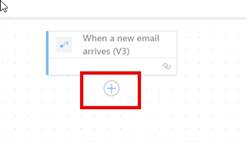
- Search for ‘Send an email (V2)’.
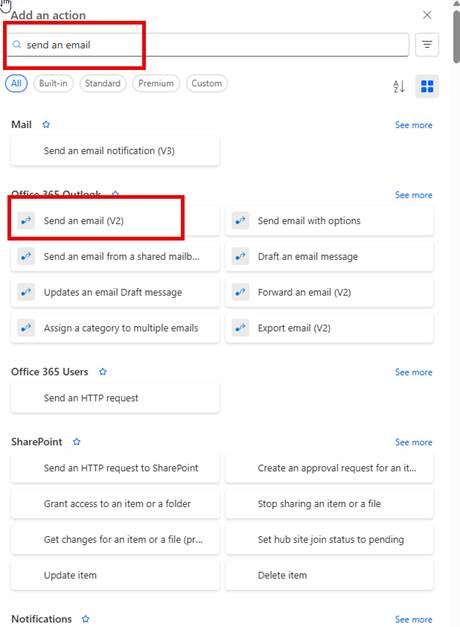
- Select the action.
Step 5: Configure the Email Action
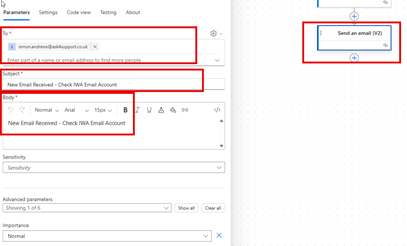
- To: Enter the external email address (e.g., [email protected]).
- Subject: Use content like “New Email Received – Check IWA Email Account.”
- Body: Include details like “New Email Received – Check IWA Email Account”
- Importance: Leave as default.
Step 6: Save the Flow
- Click ‘Save’.
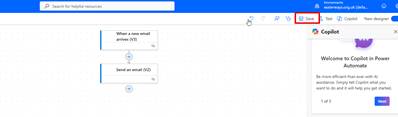
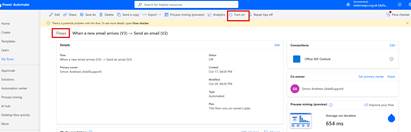
- Once saved, you may turn on the flow. To do this, you may need to go back to home screen for flows, which you can do by just pressing the ‘back to previous page’ arrow at the top left.
- Then choose ‘turn on’ when back to the flows screen.
- Send a test email to your waterways.org.uk inbox.
- Check if your external email account has received the notification.
Last Updated: December 2025